Tweens (11-12 years)•✨ Nice
Debugging the Christmas code
⏱️10 min
Rate this idea:
(0)
About this idea
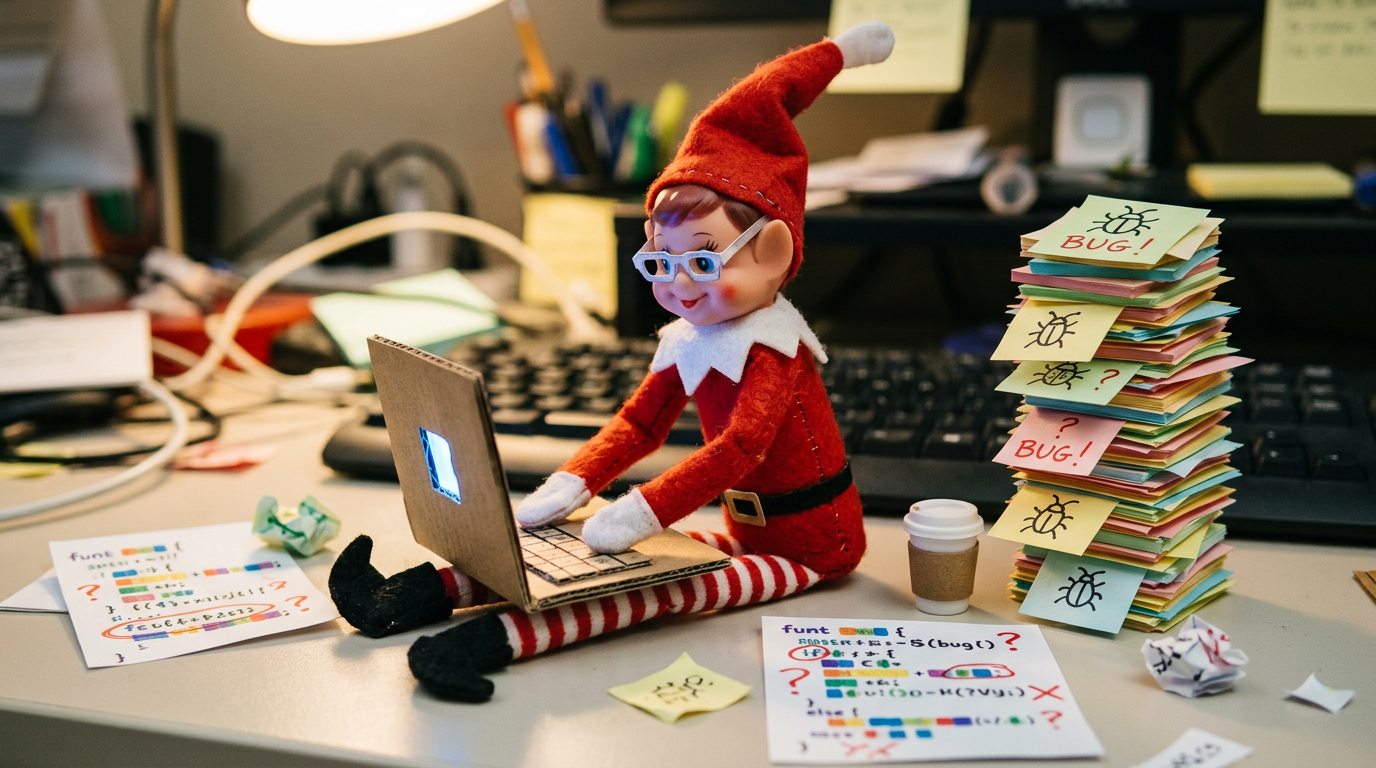
Your elf has set up a mini coding workstation with a makeshift laptop (cardboard or actual device), sticky notes with 'code bugs' written on them stuck around the workspace, and a sign saying 'ERROR 404: Christmas Spirit Not Found - Debugging in Progress!' The elf wears tiny paper glasses and sits with a small coffee cup. Include printouts of simple code snippets with funny Christmas-themed variable names like 'santaSpeed' or 'reindeerPower'. Bonus: Leave a 'fixed code' note that says 'Bug fixed! Christmas.exe now running smoothly!'
What you'll need
- Cardboard box or small box to create a makeshift laptop
- Sticky notes
- Marker or pen
- Paper glasses
- Small coffee cup
- Printouts of simple code snippets with funny Christmas-themed variable names
How to set it up
- Create a makeshift laptop using a cardboard box or small box and draw a screen and keyboard on it with a marker. Place it on a flat surface.
- Write funny 'code bugs' on sticky notes such as 'Error: Reindeer stuck in snow' or 'Warning: Cookies not loading' and stick them around the laptop area.
- Dress your elf in tiny paper glasses and place the elf next to the makeshift laptop with a small coffee cup beside them. Add a sign that says 'ERROR 404: Christmas Spirit Not Found - Debugging in Progress!' next to the elf.
- Print out simple code snippets with funny Christmas-themed variable names like 'santaSpeed' or 'reindeerPower' and place them near the laptop. Optionally, leave a 'fixed code' note that says 'Bug fixed! Christmas.exe now running smoothly!'
Tips & variations
- Use colorful markers to make the sticky notes and code printouts more eye-catching for preschoolers.
- For a more advanced twist, let your kids help write their own funny 'code bugs' on the sticky notes.
- You can use a real small tablet or laptop if you prefer, but make sure it’s safe and won’t disturb the elf’s surprise setup.